Apps that write and read sidecars
The format is open. The following apps write or read sidecar files.
AnalyzeMedia Drop, for Mac
Drop videos, audio files, and images on the window and select the type of each file. The app writes a sidecar next to each file.
The app calls the API with your key, or an API that you run on your own machine. A signed download isn't available yet. To install the app, build it from source with one command.
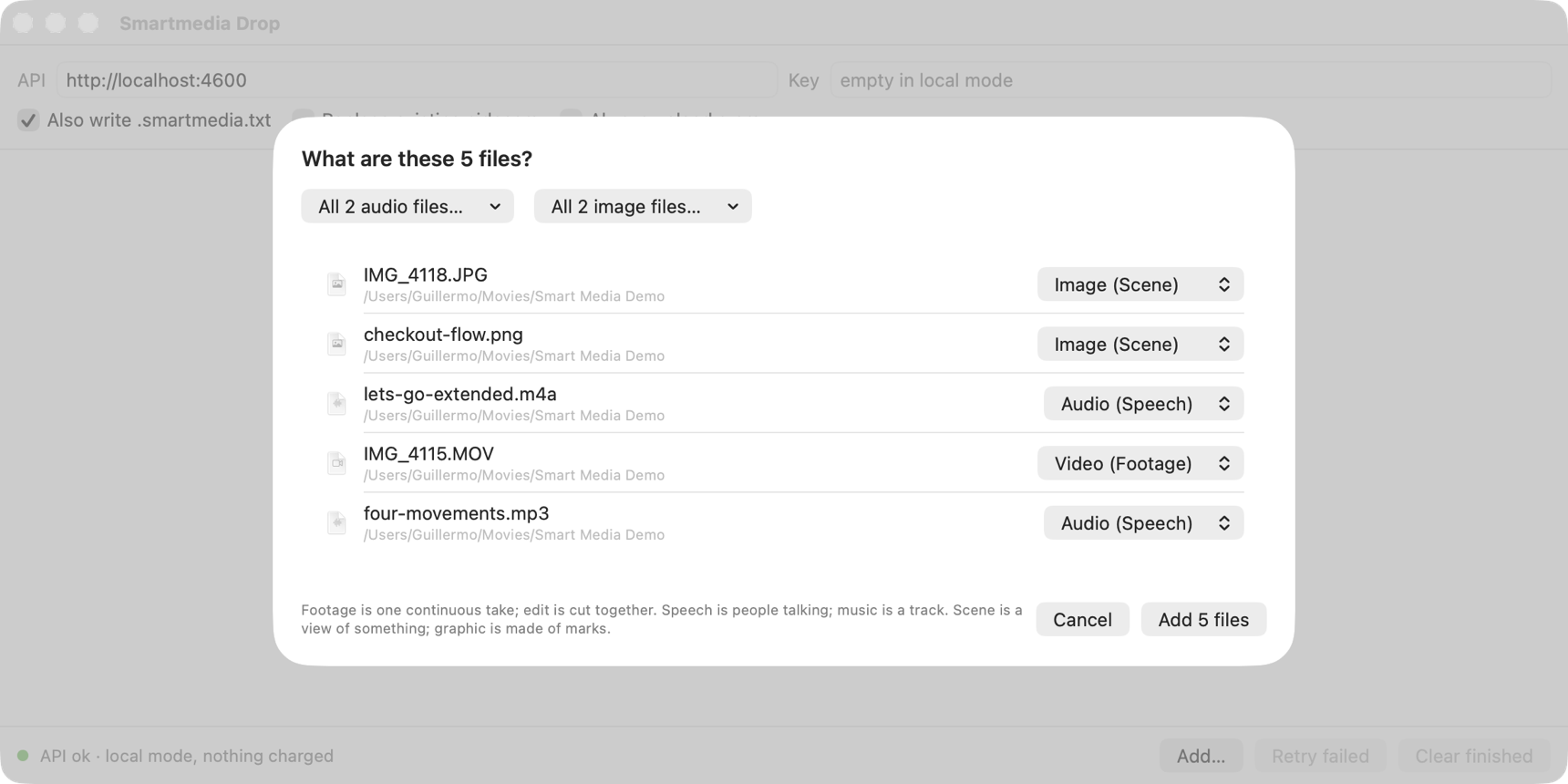
The app asks what each file is
After a drop, the app lists the files with a menu for each one. The likely type is preselected, and a menu for each medium sets all files of that medium at once. The API writes the sidecar for the type that you select. It doesn't infer the type from the content.
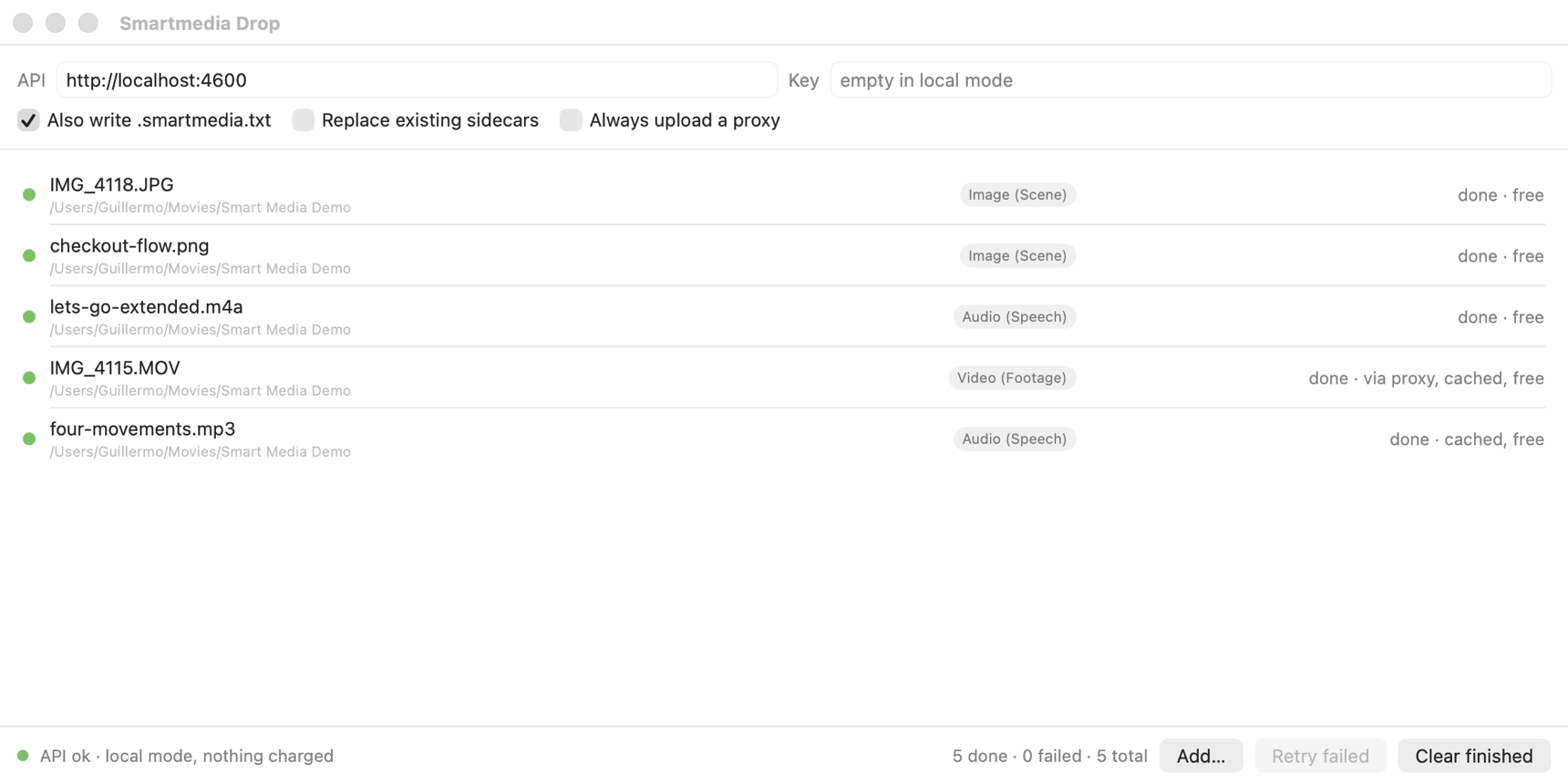
The app processes the files
The app processes two files at a time. Each row shows the file's stage: making a proxy, describing the original, uploading, analyzing, or done. A file that the API has already analyzed is free. The app skips a file that already has a sidecar unless you choose to replace it.
Large videos
If a video exceeds the API's upload limit, the app first re-encodes it into a proxy with a fixed recipe, about 190 MB for the 10-minute maximum. The app reads the original's hashes, tracks, camera, date, and GPS and sends them with the request. The sidecar describes the original, not the proxy.
Requires macOS 15 or later and an API key, or an API that you run on the same machine.
BetterEdits and BetterLibrary
The BetterApps Mac apps will read and write sidecars for their libraries. BetterEdits is an editing assistant that finds the usable segment of a take. BetterLibrary answers questions across every file in a library. Both are in development.
Your own app
Any program that can measure a file and describe it can write a sidecar, and any program that reads JSON can read one. Start with writing a sidecar, then validate your output against the schema for the type.